

Email Hosting Options for Business
Professional email hosting lets businesses use custom addresses to enhance credibility and brand image. Options like Google Workspace, Microsoft 365, Zoho Mail, or self-hosted servers offer storage, spam protection, and domain integration. The right choice ensures reliable communication, better security, and seamless collaboration for long-term business growth.
Top Email Hosting Options for Business
Google Workspace
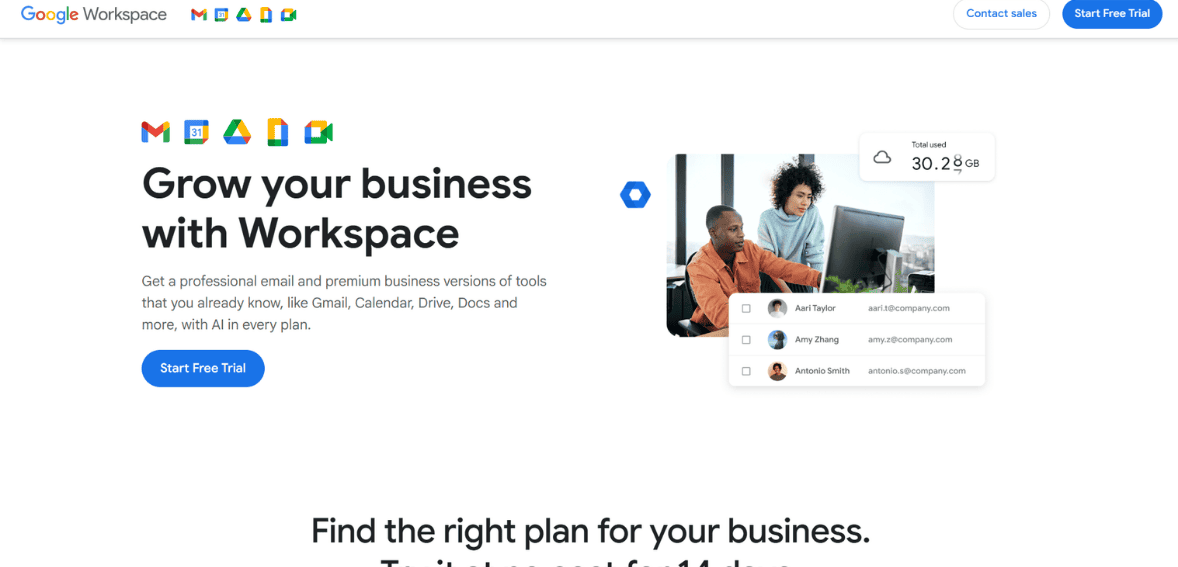
Image Source
Google Workspace makes life easier by bringing everything together in one place. You’ll never have to switch between different applications to get things done. The Google Workspace interface is quite familiar and user-friendly. This means that anyone in your organization can use Google Workspace without having to learn much. The ability to allow multiple people to work on the same document simultaneously is a huge plus.
You’ll also have plenty of space with Google Cloud Storage, so you can store all your files. Google’s cloud storage also works well with other applications, so it will fit right into your existing workflow.
On the negative side, Google Workspace is internet-dependent, meaning most features require an internet connection, though some can function offline. Secondly, there might be issues with file transfers, especially those created with other software, which can be quite annoying at times.
Additionally, while the basic plans are quite reasonable, the cost can mount up, especially for larger groups or those requiring extra storage. Nevertheless, it is a very convenient solution, especially when used with the limitations in mind.
Microsoft 365
Image Source
The fact that Microsoft 365 is always up to date is a great advantage, as one does not have to keep updating their software whenever a new version is released; it is automatically updated.
Secondly, Microsoft 365 offers strong security features, such as encrypted email, so businesses do not have to worry about their information being compromised. The fact that one can work on a file simultaneously with colleagues, with all changes saved immediately, is a great advantage, as it ensures smooth collaboration without the risk of losing data within a business. Further, one can use their emails, files, and apps from anywhere.
At the same time, there are a few disadvantages to note. Firstly, the constant update cycle may cause compatibility issues for businesses that use their own internal software or older program versions. Some businesses may also find it challenging to work with constant updates, especially if they are more comfortable with a traditional work environment.
Most businesses use fundamental programs such as Word, Excel, and Outlook; therefore, the additional programs included in the plan may not be used at all.
Zoho Workplace
Image Source
Zoho Workplace is a good choice for businesses that need effective collaboration tools without breaking the bank. One of the best things about Zoho Workplace is its affordability, making it perfect for small businesses.
Another good thing is that Zoho Workplace is highly privacy-focused and offers GDPR-compliant features, giving businesses confidence in their data security. If you and your team already use Zoho CRM, you will find the integration seamless and it will create a smooth workflow for your business.
On the other hand, there are a few things to keep in mind. First of all, the amount of storage space available per user might be a little lower than what some competitors offer, which could be a problem for teams dealing with a large number of files.
Additionally, it might take a little while to get used to the application’s interface, especially for those accustomed to more popular options such as Google Workspace or Microsoft 365.
Google Workspace vs Microsoft 365 vs Zoho Workplace
Pricing
| Provider | Plan | Price (per user/month) | Best For | What You Get |
| Google Workspace | Business Starter | $6 annually / $7.20 monthly | Small teams and startups | Professional email, 30 GB storage, video meetings for up to 100 participants |
| Google Workspace | Business Standard | $12 annually / $14.40 monthly | Growing businesses | 2 TB storage, larger video meetings, shared team drives, recording options |
| Google Workspace | Business Plus | $18 annually / $21.60 monthly | Mid-sized companies | 5 TB storage, stronger security controls, meetings up to 500 people |
| Google Workspace | Enterprise | Custom pricing | Large organizations | Flexible storage, premium support, advanced admin and security tools |
| Microsoft 365 | Business Basic | $6 | Businesses using Outlook and Teams | Business email, web versions of Office apps, Teams meetings, cloud storage |
| Microsoft 365 | Business Standard | $12.50 | Teams needing desktop Office apps | Full Office suite, business email, collaboration tools, file storage |
| Microsoft 365 | Business Premium | $22 | Security-focused businesses | Advanced protection, device management, full Office apps |
| Microsoft 365 | Apps for Business | $8.25 | Teams that only need Office apps | Desktop Office apps and cloud storage without hosted email |
| Zoho Workplace | Free Plan | $0 | Freelancers and very small teams | Basic business email and essential collaboration tools |
| Zoho Workplace | Standard Plan | $3 | Small businesses on a budget | Business email, storage, office apps, team communication features |
| Zoho Workplace | Professional Plan | $6 | Growing teams | More storage, advanced admin tools, and collaboration features |
| Zoho Workplace | Mail-Only Plan | $1 | Businesses needing only email | Custom domain email without extra workspace apps |
Features
When choosing Google Workspace, Microsoft 365, or Zoho Workplace, it is essential to focus on the most critical business needs, such as collaboration, storage, spam filtering, ease of use, and integration.
Google Workspace is highly praised for its ease of use and smoothness. With Google Docs, Google Sheets, and Google Slides, you can collaborate with others in real-time without any delays. In addition, Gmail’s spam filtering is excellent. This allows most businesses to rely on the platform to remove spam and phishing emails. The storage space ranges from 30 GB to several TB.
Microsoft 365 is a better option for businesses that require high-end productivity tools along with file management. It provides access to email, Word, Excel, PowerPoint, Teams, and OneDrive, making it the best option for businesses using the Microsoft platform. The major advantage of the product is the 1 TB of OneDrive storage per user on most business plans, along with email security and spam filtering via the Outlook tool. It can be particularly useful for businesses that require higher administration control, permissions, and desktop usage.
For small and medium businesses, Zoho Workplace is a very practical solution, offering affordability with useful business features. It offers Zoho Mail, WorkDrive, Cliq, and Meeting, integrated into one platform. The spam filtering works well, especially when domain settings such as SPF, DKIM, and DMARC are properly configured. The storage space is less than what Microsoft 365 offers, but it works well for small businesses.
Domain Integration
Google Workspace is usually the easiest choice for businesses looking for a hassle-free and beginner-friendly setup. Domain integration is straightforward, and Google provides a panel with instructions for adding all required records, including TXT, MX, SPF, DKIM, and DMARC. This makes it easier, even for non-tech-savvy people, to connect their website domain to Gmail and use their branded email account.
It is also highly compatible with Google Drive, Google Calendar, Google Docs, and Google Meet, so when you connect your domain, you’re ready to use the full suite of productivity and collaboration tools. Many businesses choose this option because, for most people, the Gmail interface is already familiar.
Microsoft 365 also provides the same quality of domain integration. However, it is particularly useful for businesses that already operate in the Microsoft world. Once the domain is verified, email services are powered by Exchange Online, renowned for its reliability and enterprise-grade controls.
While domain integration is slightly more complicated for some users than Google, it also offers more advanced management features, shared mailboxes, and security options, which are particularly useful for larger teams. Businesses with Windows-based operations will find the integration of Microsoft 365 particularly intuitive.
Zoho Mail/Zoho Workplace is a good option for small businesses and startups looking for a low-cost, custom-domain email solution. The domain integration is done in the same way as before, via TXT and MX records. Zoho also supports SPF, DKIM, and DMARC records.
It integrates seamlessly with Zoho CRM, Projects, and Books, making it a good option for businesses already using these products. While the integration is easy to set up, users need to be careful with authentication records to ensure maximum email deliverability.
Self-hosted Mail Server Set-up with Hosted Mail Services: Which is better?
When comparing a self-hosted email server with hosted services such as Google Workspace, Microsoft 365, and Zoho, the differences primarily lie in price, feature set, storage, spam filtering, and domain integration. Typically, a self-hosted email server is hosted on a VPS, cloud server, or dedicated server of its own, and the price for such a server varies anywhere from $5 to $80 or more per month, depending on the amount of storage space needed, the amount of bandwidth, and backup facilities required.
This is more feasible for businesses with a large number of users since the price is for the server alone and does not increase with the number of users. On the contrary, hosted email services charge a flat fee per user, ranging from $1 to $6 or more, depending on the features.
From a feature perspective, the advantage of hosted services is obvious. For example, with Google Workspace and Microsoft 365, you get top-notch spam filtering, malware protection, phishing protection, calendar functionality, file storage, and collaboration tools. Zoho also has excellent email functionality and is more affordable. With a self-hosted solution, you have to implement these features yourself using various tools.
Storage is another feature to be considered. With a self-hosted solution, you have to rely entirely on the storage space on your server. This is also the advantage of the self-hosted solution. With hosted services, you have to subscribe to a plan for 30 GB, 50 GB, or several terabytes of storage per user.
When it comes to domain integration, both options offer professional email accounts with your business domain, such as [email protected]. However, with a self-hosted mail server, you need to manually configure DNS settings such as MX, SPF, DKIM, and DMARC records. In contrast, with a hosted mail service, you don’t need to worry about this since it is already made easy for you.
Therefore, a self-hosted mail server provides control and cost-effectiveness, while a hosted mail service provides convenience and spam protection.
Conclusion
The type of email hosting to choose depends on the business’s size and needs. While hosted email services such as Google Workspace, Microsoft 365, and Zoho Domain are convenient and secure, self-hosted email servers also have their advantages. A good email system is essential for professional communication, trust, and business success.
FAQs
- What is business email hosting?
Business email hosting provides professional email addresses with your custom domain, along with secure storage and reliable communication services.
- What is the best email hosting option for small businesses?
Zoho and Google Workspace are best for small businesses due to their cost-effectiveness and other beneficial features.
- Can I use my own domain with these email hosting services?
Yes, you can use your own domain with these email hosting services, as almost all of these services allow you to add your custom domain to their services through a simple DNS setup.
- Is a self-hosted mail server cost-effective?
Yes, a self-hosted mail server is cost-effective for businesses; however, you need to be tech-savvy to run one.
- Why is spam filtering important for business email?
Spam filtering is important for businesses because it keeps your inbox clean and provides secure email services.