
Why Growing Websites Need a Staging Site Before Updating WordPress
One Click Can Break Everything
Your WordPress site is monetized and gaining traction. Suddenly, updating your plugins leaves your homepage blank. Fatal errors block your checkout page, and your contact form malfunctions. Visitors abandon the site. Your revenue disappears.
This unfortunate saga isn’t even rare, happening to thousands of entrepreneurs weekly. The sad part is, it’s completely avoidable. It doesn’t make sense to skip updates. It’s best practice to implement updates on your WordPress staging site before making any changes to the live site. Staging environments are no longer optional for successful businesses.
What Is a WordPress Staging Site?
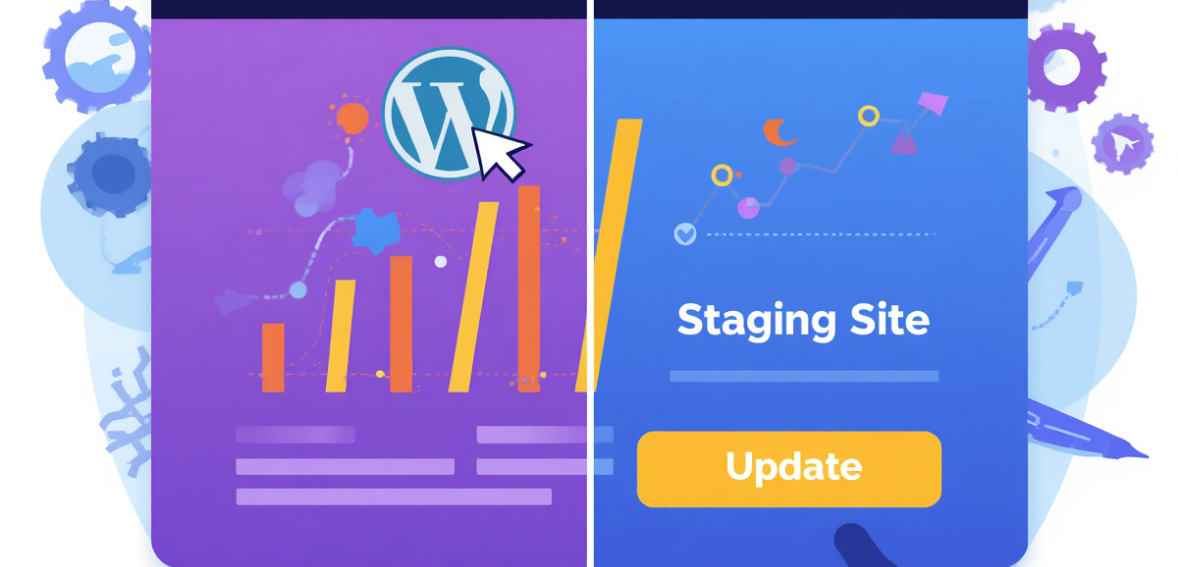
A WordPress staging site is an exact replica of your WordPress site, hosted on a separate server or subdomain, so it is private and not publicly visible. It is an exact duplicate of your production site, including your site’s plugins, themes, and database.
Every website needs a safe place for testing. Staging sites do that. Pilots need a safe place to practice emergency landings — they don’t do that on a real plane. With a staging environment, you can test, break, and fix things with the peace of mind that nothing will happen to your real site until you are ready to publish your changes.
Why WordPress Updates Are Riskier Than They Look
WordPress accounts for more than 40% of websites, so it stands to reason that hackers would also target it as an easy target. Security hinges on regularly updating your core, themes, and plugins, but these updates come with their own risks. WordPress websites are not a single unit — they are a collection of components that work together to function.
A plugin made by one developer may conflict with a theme created by another. WordPress core updates can break older plugins that rely on functions that are no longer supported. Even a minor version update can trigger a PHP conflict that could crash WordPress. For smaller, less important websites, downtime might not be critical. But for sites that serve a large customer base, the losses from downtime can be significant. The stakes increase with the number of updates and components your site has.
The Real Cost of Skipping a Staging Environment
Sometimes online businesses feel as if they cannot afford a staging site, that it may be very complicated, or that it only pertains to large businesses. This isn’t true. When a website update makes a site non-functional, it isn’t just the visible error that causes damage. During downtime, search engines and crawlers may register broken pages. If this situation persists long enough, the site’s other pages may begin to lose their Google ranking. Paused scripts and styles cause pages to fail to load and Core Web Vitals scores to drop. User trust is lost the moment someone lands on a blank page or an Internal Server Error.
The hidden costs — lost time rolling back a live site — can add up quickly, especially if a recent backup is unavailable. Developers will likely charge a premium to restore things, and the longer the site remains broken, the more it damages not only revenue but the site’s reputation and Google ranking. A proper WordPress staging hosting setup eliminates all of this.
How a Staging Site Fits Into Your WordPress Workflow
The optimal workflow is straightforward: test updates on staging, then review basic functionality before pushing live. That means form submissions, page rendering, WooCommerce order processing, and page builder layouts.
These best practices matter most when adding plugins or themes, and equally when making design or code changes. Testing your checkout flow while customers are actively shopping is an extremely poor practice. On staging, you can run multiple iterations and get client approval before anything goes public. The workflow shifts from firefighting to quality control — and it improves your operation as a whole.
WordPress Staging Hosting: What to Look For

The staging process differs across hosting platforms. Some charge an extra fee, while others bundle it into premium pricing. The best providers integrate staging directly into the infrastructure, so you can create a staging environment and sync it with a few clicks. The hosting provider you choose will determine how smooth this workflow actually is.
WP Engine
WP Engine offers managed WordPress hosting and considers staging a core element of its service. For all its plans, WP Engine provides a staging environment that can be created with a single click. Changes can be moved from staging to production — and the live site can be pushed to staging — without manually editing any files. WP Engine also offers automated backups at regular intervals, so if any issue affects the live site, it can be restored quickly.
Kinsta
Kinsta is a managed WordPress host built on the Google Cloud. Like WP Engine, Kinsta includes staging environments on all plans with a simple push-and-pull workflow. Staging sites are password-protected and excluded from Google’s search index. Kinsta also offers a useful feature called selective push, which lets users push database changes, files, or both — helpful when content and code changes need to be deployed separately.
SiteGround
Through Site Tools, SiteGround offers a built-in staging tool in its hosting dashboard, making it a strong option for sites that want an embedded staging workflow. SiteGround’s GrowBig and GoGeek plans are affordable and accessible, making them well-suited for small businesses and growing content sites that don’t want to overspend.
Cloudways
Cloudways combines cloud infrastructure with a flexible deployment workflow that integrates with DigitalOcean, AWS, and Google Cloud. Built with agencies and developers who manage multiple WordPress sites in mind, its platform creates a smooth transition from staging to production.
Growing Sites Have More to Lose — and More to Gain
A site with 500 monthly visitors and a handful of blog posts has almost nothing to lose from an update gone wrong. A site with 50,000 monthly visitors, a WooCommerce store, a membership system, and a complex content architecture has everything to lose. As a result, more sophisticated WordPress setups require a staging environment more and more — there is simply less room for error.
The need for team collaboration is yet another reason staging is increasingly relied upon. If developers, designers, and editors are all working on a site with no staging system, they risk overwriting each other’s work. A staging environment establishes a review process so that changes are verified before they ever reach the public. The result is improved site performance, greater stability, and a cleaner hand-off.
Staging and SEO: The Connection Most Site Owners Miss
Maintaining an uninterrupted workflow is essential for long-term SEO success. A dedicated staging environment reduces obstacles for developers and prevents unexpected changes to URL structure and other site elements that, if modified directly on a live site, can cause adverse ranking shifts. Incompatible plugins can silently alter XML sitemaps and integrated schema markup — and those changes may go unnoticed without a controlled testing layer.
With staging, issues can be identified before they go live. The staging URL can undergo a full SEO audit to confirm that URL structures are intact, that checks are in place to ensure that integrated controls haven’t been altered, and that defense mechanisms are functioning. For any site with serious long-term goals around organic reach, these steps are essential.
Conclusion
Building a WordPress site is a long-term project. For every improvement you make — whether to content, design, performance, or functionality — you have to assume the site remains consistently stable and accessible. That’s where a staging site comes in. A WordPress staging site protects your investment by giving you a safe, isolated environment to test every change before any update is pushed live to your audience.
The cost of skipping staging isn’t paid up front. It’s paid when a major update breaks your site, forcing you to fix it under pressure. Using WordPress staging hosting the right way eliminates that problem for good. Staging isn’t an advanced technique reserved for the largest teams. Whether you run a WooCommerce store, a services portfolio, or a content site, staging is the baseline standard for every healthy, growing WordPress site.
Frequently Asked Questions
Q1. What is the difference between a staging site and a local development environment?
A local development environment runs entirely on your own computer and has no connection to the internet. A staging site lives on an actual server — usually a subdomain of your live site — and replicates the real hosting environment far more accurately. For testing updates and compatibility, staging is more reliable because it reflects the exact server conditions your live site runs on, including PHP version, server software, and database configuration.
Q2. Will my staging site affect my SEO or be indexed by Google?
If done correctly, it shouldn’t be an issue. Good WordPress staging hosting providers will set up a noindex directive on staging environments, which tells search engines not to crawl or index the staging URL, and will also password-protect them. Before you set up a staging environment, always verify that these safeguards are in place to prevent duplicate-content risks.
Q3. How often should I use my staging site?
Every time you make a significant change to your WordPress site. This includes major plugin or theme updates, WordPress core version upgrades, new plugin installations, theme customizations, and any changes to your PHP version or server configuration. For minor content edits — such as publishing a blog post or updating a product description — staging is generally unnecessary.
Q4. Can I use a staging site on shared hosting?
Yes, though it mainly depends on the provider. Some shared hosts, such as SiteGround, include staging tools on their higher-tier plans. If your shared hosting plan doesn’t have a staging tool, you can create one by copying your site to a subdirectory — though that process is fairly technical. For fast-growing sites, upgrading to a managed WordPress host with built-in staging is the better move.